
Switch to Sayli2 min read
New assistant. Same history.
Your useful conversations can come with you. Bring an Otter transcript into Sayli. Ask about the decision you need.
 Otter→
 Sayli
Your past calls.
Your next answer.
Bring the words. Keep the audio.
Bring transcript text into Sayli, including recognized speaker labels, timestamps, and dates.
Audio and playable recording links do not transfer. Keep recordings separately.
Sources for this section
Sayli transcript imports · Export conversations from Otter · Sayli pricing
01. Export one Otter conversation.
Open a conversation you can export. Choose Export, then a transcript format.
Otter Basic supports TXT. Other formats, speaker names, and timestamps depend on your plan.
Choose the transcript, not just the summary.
That tiny “actually, make it Friday” may be the bit you need later.
Sources for this section
02. Add it to Sayli.
In Sayli, open Settings → Import. Upload a TXT, SRT, or VTT transcript.
Wait for processing to finish before searching the meeting.
Check the title, date, two speaker turns, and timestamps against the original.
Dates and labels depend on a recognized format.
Sources for this section
03. Ask the question you came for.
Ask: “What did we agree most recently, and what do I owe next?”
Sayli can answer across accessible meetings. Open its source calls to check the details.
Your question. Answered from your call.
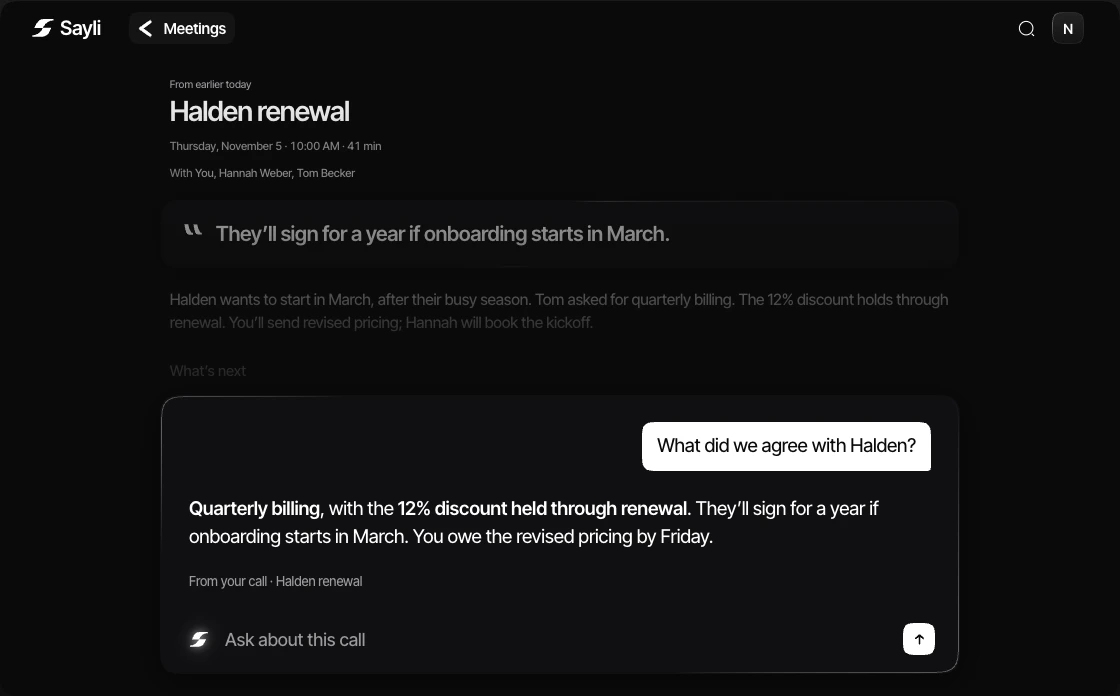
First call looks right? Bring the rest in small batches. Check each result.
Ask Sayli to organize relevant calls into a folder. Review its selection before applying it.
Sources for this section
Sources & how we compared 4 references
Written by the team building Sayli. We checked first-party documentation and Sayli’s implementation on November 5, 2026. These are workflow comparisons, not measured speed or accuracy rankings. Product scenes are illustrative.
The import checks used synthetic files and the actual local parsers. We did not run a live Otter export or a production upload.
- Sayli productChecked November 5, 2026
- Sayli pricingChecked November 5, 2026
- Sayli transcript importsChecked November 5, 2026
- Export conversations from OtterChecked November 5, 2026
Features and billing terms can change. Check the linked plan for the current offer. Send a correction.
